ChequeMaker simplifies cheque printing for businesses of all sizes. Print single or bulk cheques, import data directly from Excel, support virtually every Indian bank, and eliminate handwriting errors forever.
ChequeMaker is designed to save time, eliminate manual errors, and make cheque printing effortless for businesses of every size.
Print cheques for SBI, HDFC, ICICI, Axis Bank, PNB, Canara Bank, Bank of Baroda and hundreds of other Indian banks with customizable layouts.
Import cheque data directly from Microsoft Excel and print hundreds of cheques within minutes, saving valuable time and effort.
Eliminate handwriting mistakes with precise alignment, instant print preview, and professional-quality cheque printing.
Get quick assistance whenever you need it with dedicated technical support and regular software updates.
ChequeMaker combines powerful printing, business management, automation and compatibility features into one easy-to-use cheque printing solution.
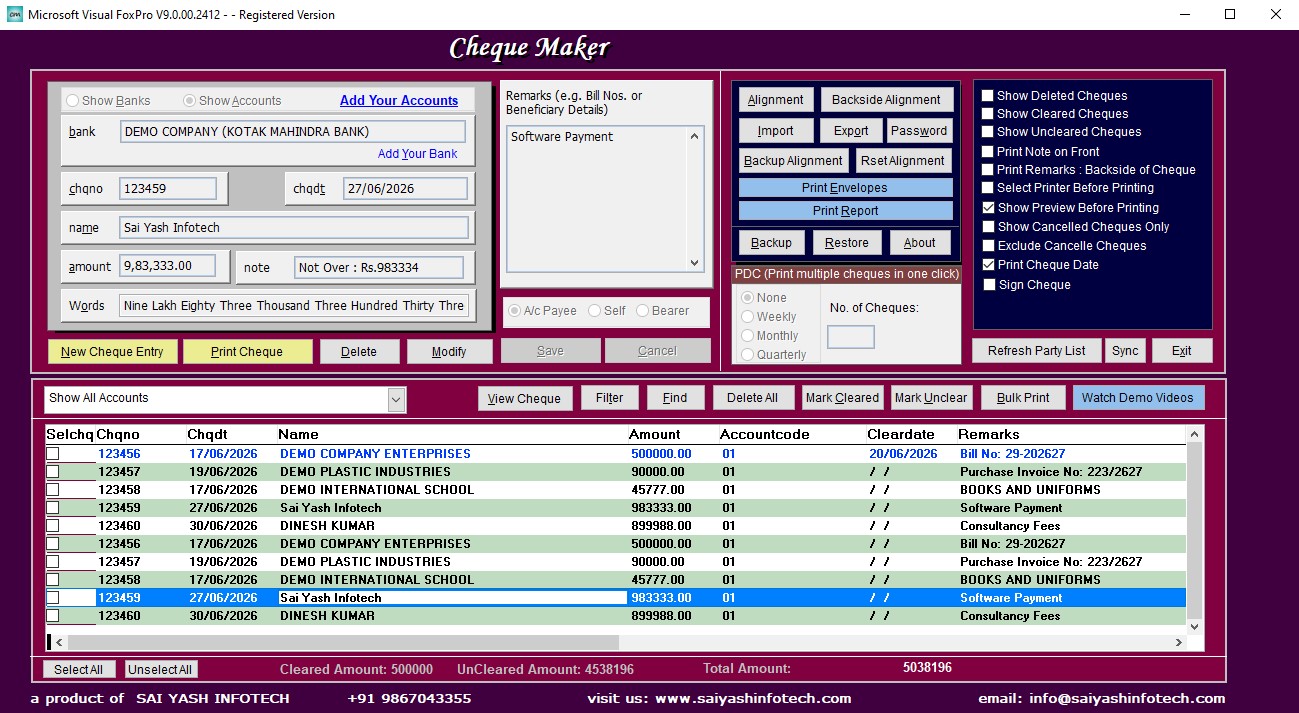
Print individual cheques with perfect alignment and professional formatting.
Print hundreds of cheques in one click using batch processing.
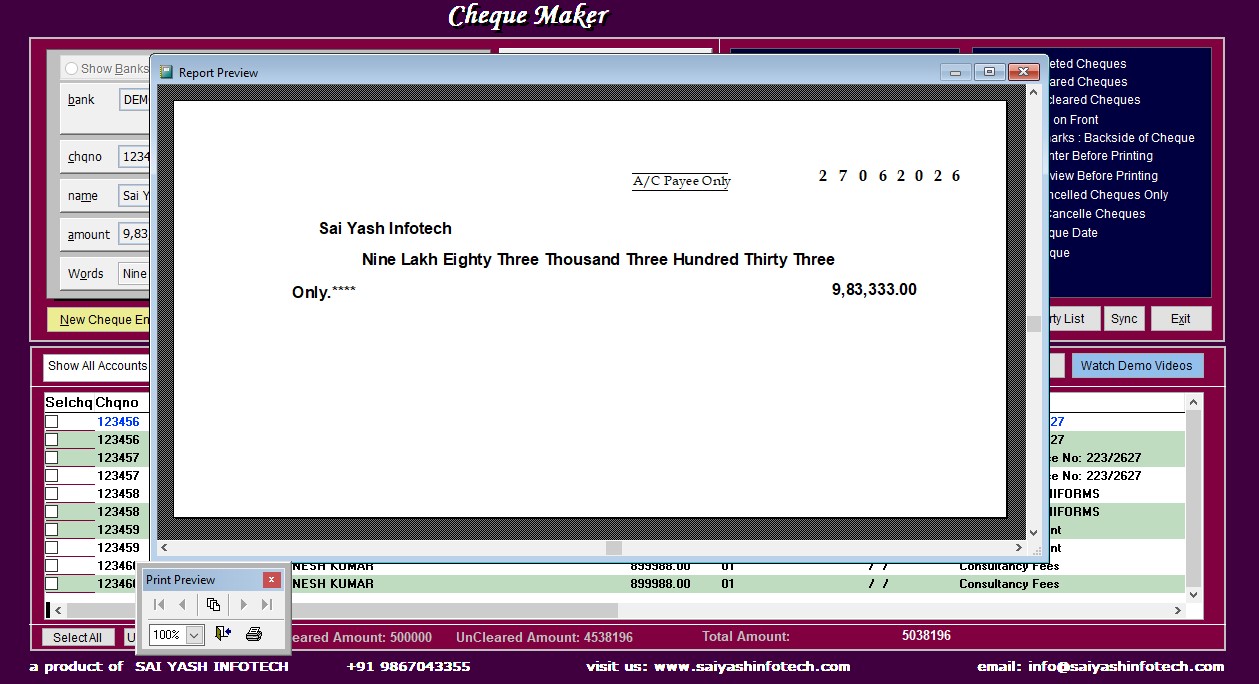
Preview every cheque before printing to avoid unnecessary mistakes.
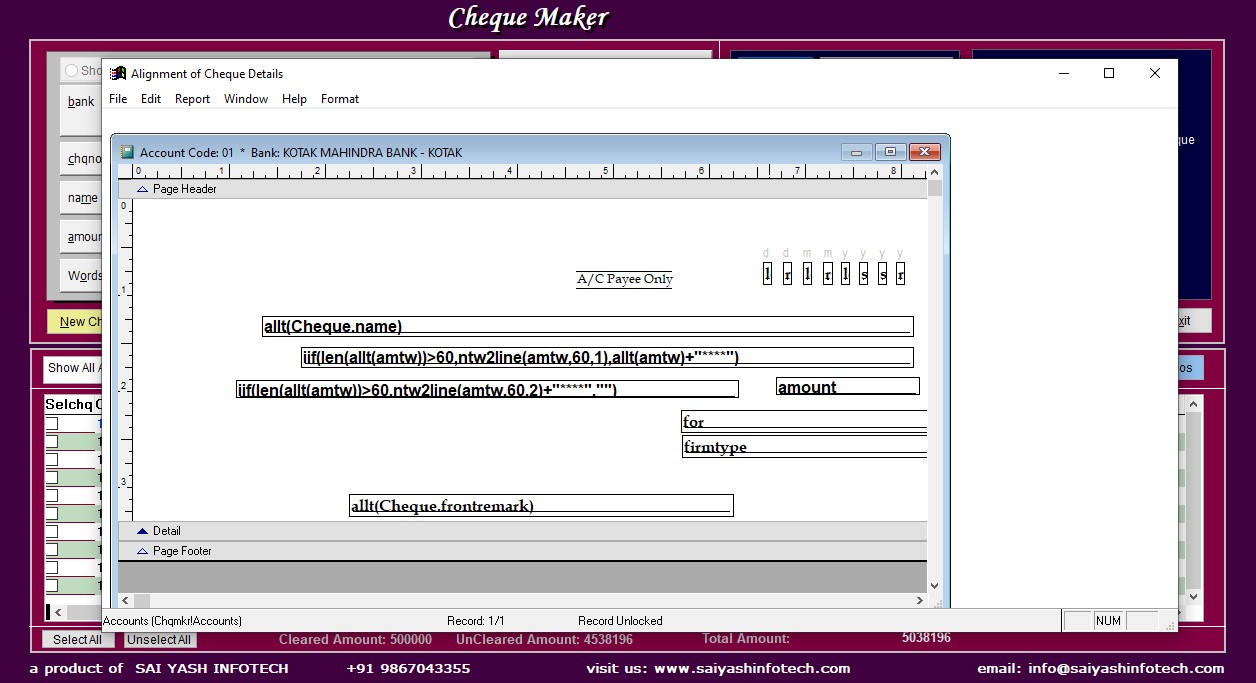
Fine tune printing position for every printer and cheque layout.
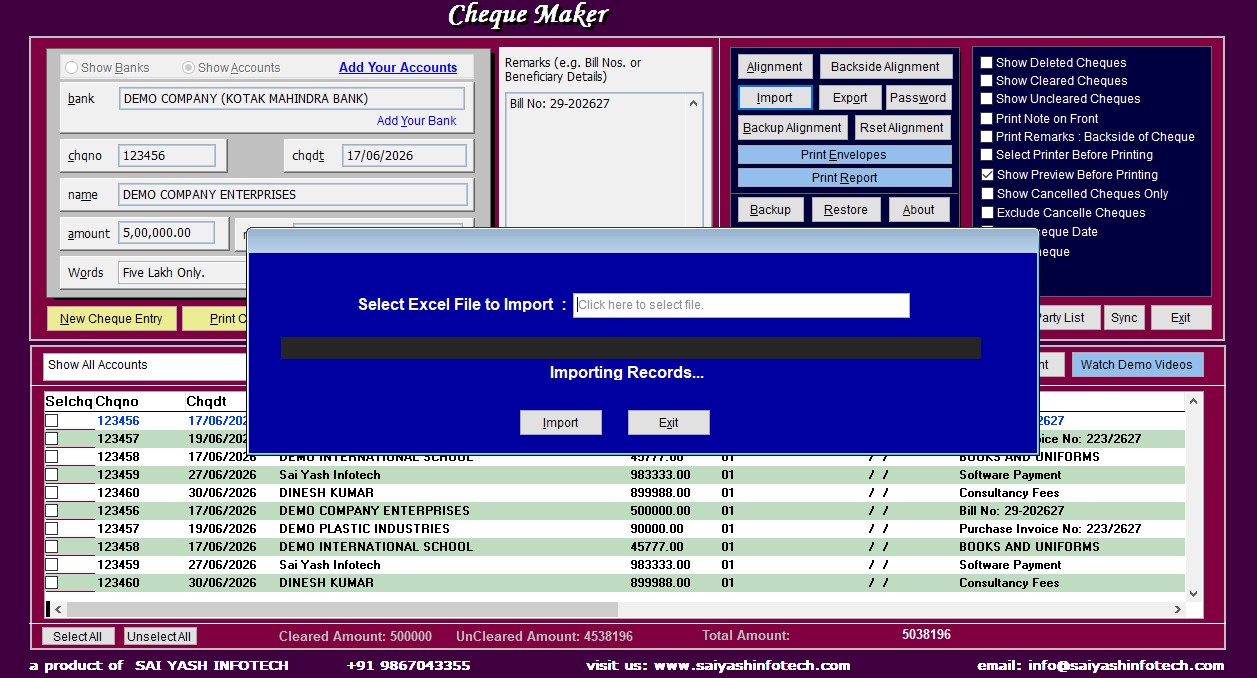
Import cheque data directly from Excel spreadsheets in seconds.
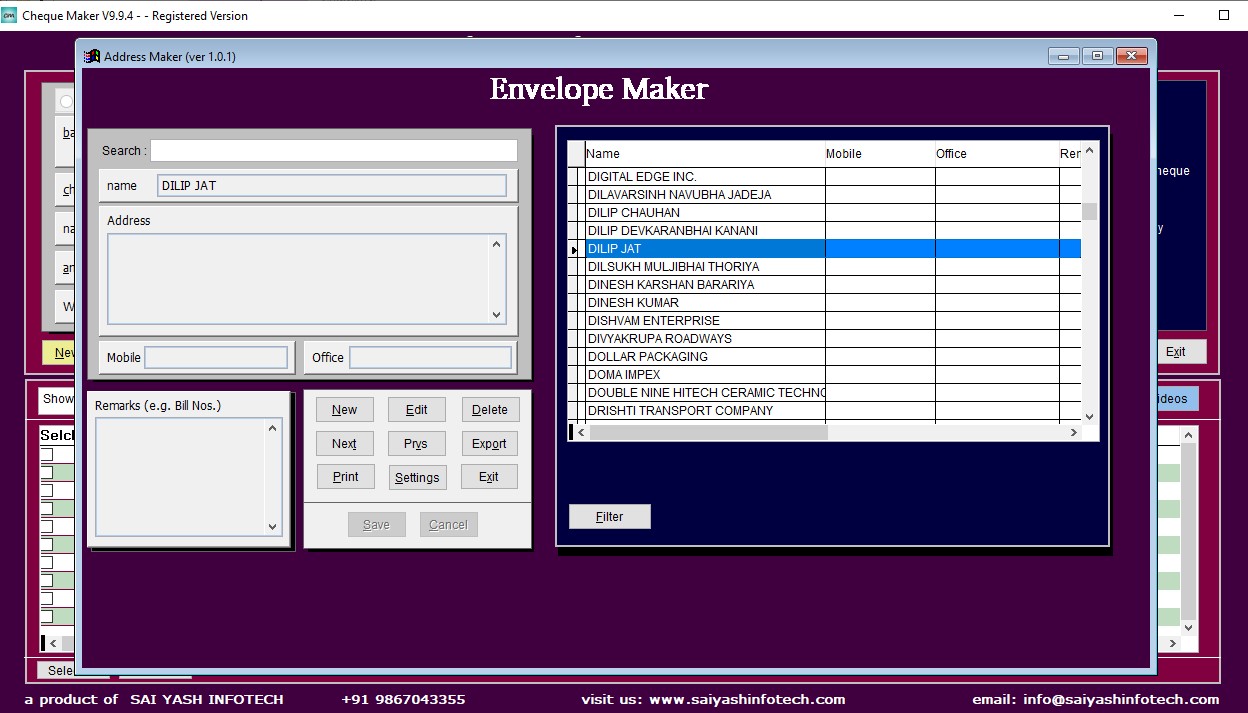
Create and manage unlimited beneficiary records with ease.
Automatically converts numeric amounts into words accurately.
Supports multiple cheque date formats according to your requirements.
Manage cheque printing for multiple businesses from one software.
Safely backup your complete cheque database anytime.
Your valuable cheque information remains securely stored on your PC.
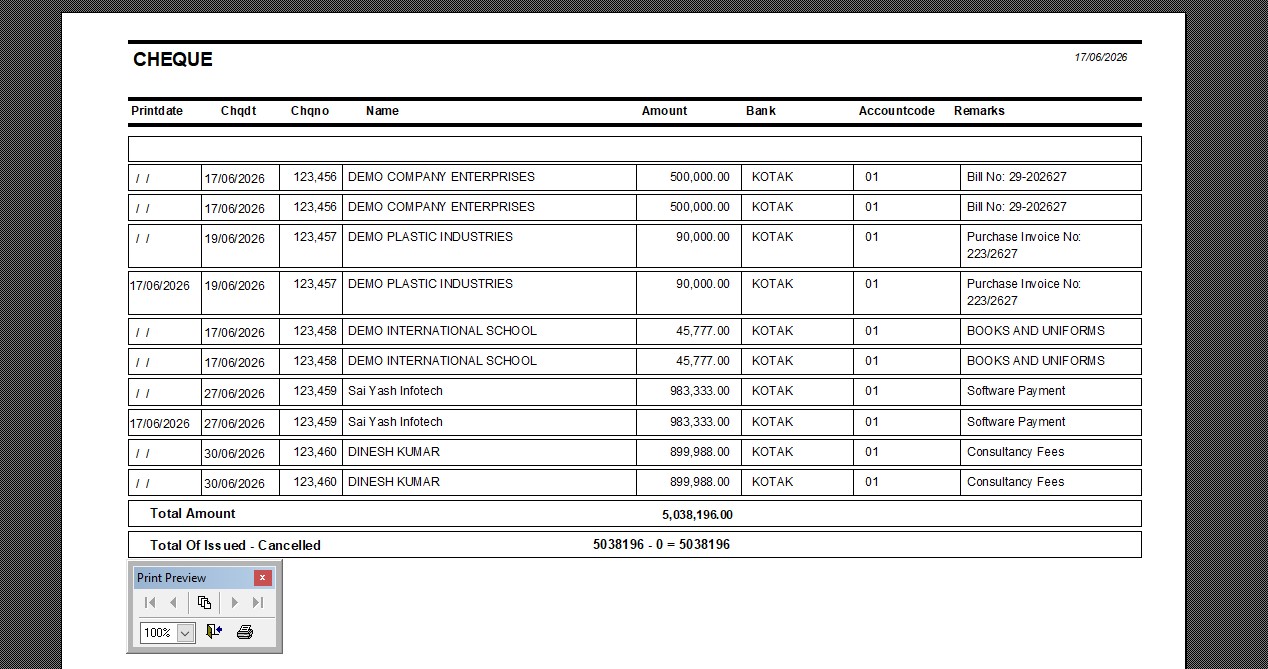
Generate detailed cheque history and transaction reports instantly.
Supports cheque layouts for virtually every bank operating in India.
Runs smoothly on Windows XP through Windows 11.
Optimized for quick and reliable cheque printing performance.
Receive prompt assistance from our experienced support team whenever required.
Explore the intuitive interface of ChequeMaker. From cheque entry to print preview and alignment settings, everything is designed to make cheque printing fast, accurate, and effortless.
ChequeMaker is lightweight and optimized for excellent performance, even on older computers. No expensive hardware is required.
| Operating System | Windows XP, Vista, 7, 8, 10 & 11 (32-bit & 64-bit) |
| Processor | Intel / AMD Dual Core or higher |
| RAM | Minimum 2 GB (4 GB Recommended) |
| Disk Space | 100 MB Free Disk Space |
| Printer | Inkjet, Laser & Dot Matrix Printers |
| Microsoft Excel | Optional (Required only for Excel Import feature) |
ChequeMaker is a lightweight cheque printing software designed to run smoothly even on older office computers. Whether you're using Windows XP or Windows 11, you can enjoy fast and reliable cheque printing without investing in expensive hardware upgrades.
ChequeMaker is designed to make cheque printing simple and efficient. From selecting a payee to printing a perfectly aligned cheque, everything takes only a few clicks.
Add a new payee or select an existing one from your unlimited payee database.
Fill in cheque number, date and amount or import everything directly from Excel.
Preview the cheque, adjust alignment if required, and print with complete confidence.
ChequeMaker supports cheque printing for almost every major public and private sector bank in India. Simply select your bank's cheque layout and start printing with confidence.
Find answers to the most common questions about activation, licensing, installation, renewals, technical support and more.
After successful payment, please send us the following details:
To copy the Request Code, simply select it and press Ctrl + C, then paste it into your email or WhatsApp message.
Within 5–10 minutes, we will send you:
Simply paste the Activation Code into ChequeMaker and your software will be activated immediately.
Alternatively, call us on 9867043355 and provide remote access. We will complete the activation process for you.
Before formatting your PC:
After formatting:
You may also contact us before and after formatting. We will remotely complete the entire process.
This service is FREE during your support period. Afterwards, a service charge of ₹500 will apply.
Contact us before replacing your computer.
This service is FREE during the support period.
After the support period:
Yes. The trial version is fully functional during the trial period.
The only limitation is that you can add one bank account during the trial period. All other features are available, allowing you to thoroughly evaluate the software before purchasing a license.
Download the free trial of ChequeMaker and experience fast, accurate and hassle-free cheque printing for your business.